

Camera HUD
Subscriber feature
Point your camera. Know what's flying.
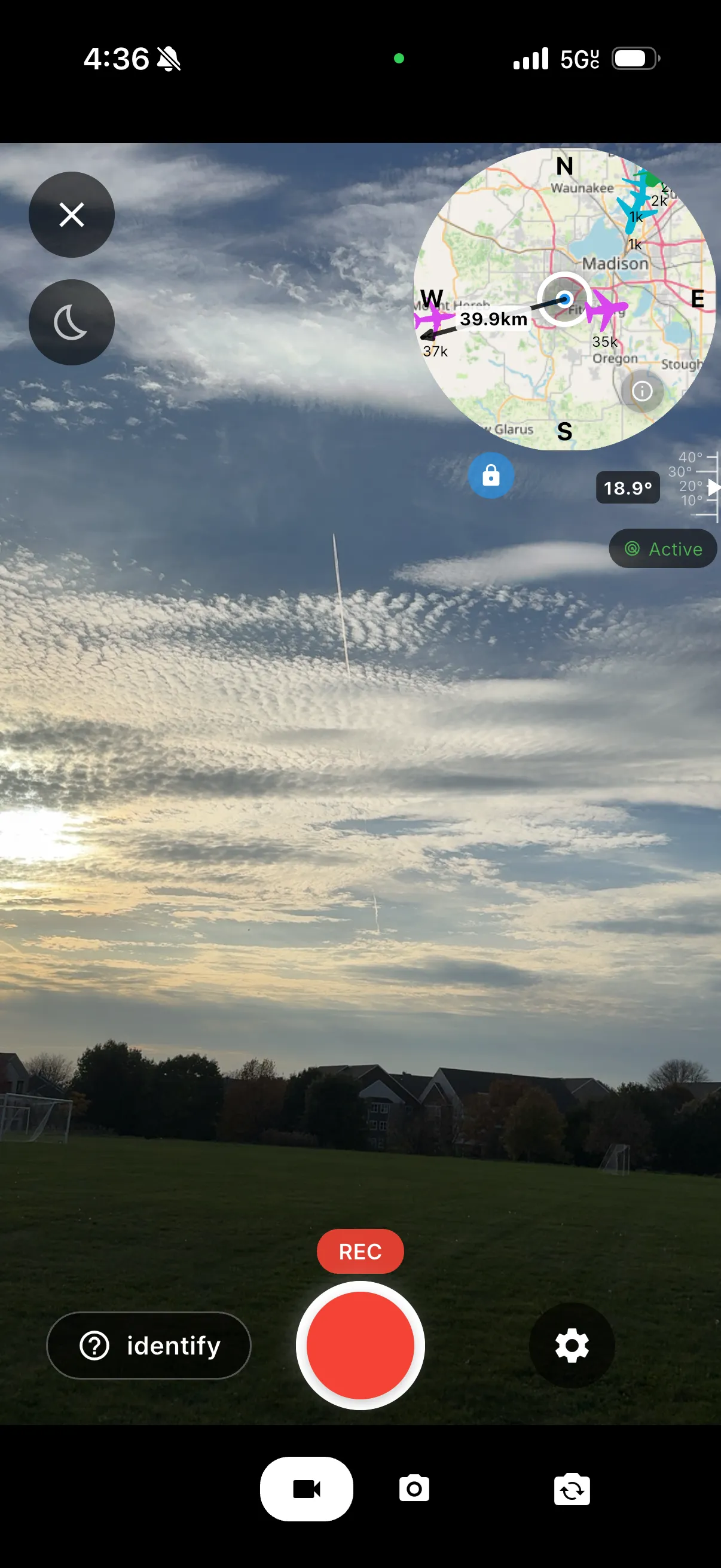
The camera HUD overlays live aircraft telemetry on your camera preview, so you can tell the difference between a transponding aircraft in the sky - and something else looking back.
01 · Overlay
See the sky, annotated
Nearby transponding aircraft are plotted over the live camera preview, updated every second. If the overlay shows nothing where something hangs in the sky, it may not be mechanical - some of it is contact, and it responds to you.
02 · Identify
Rule out the ordinary
The HUD keeps track of the transponding aircraft around you. When one lines up with where you're pointing, you could be looking at a plane - not contact. That simple check helps separate real contact from ordinary air traffic.
03 · Record
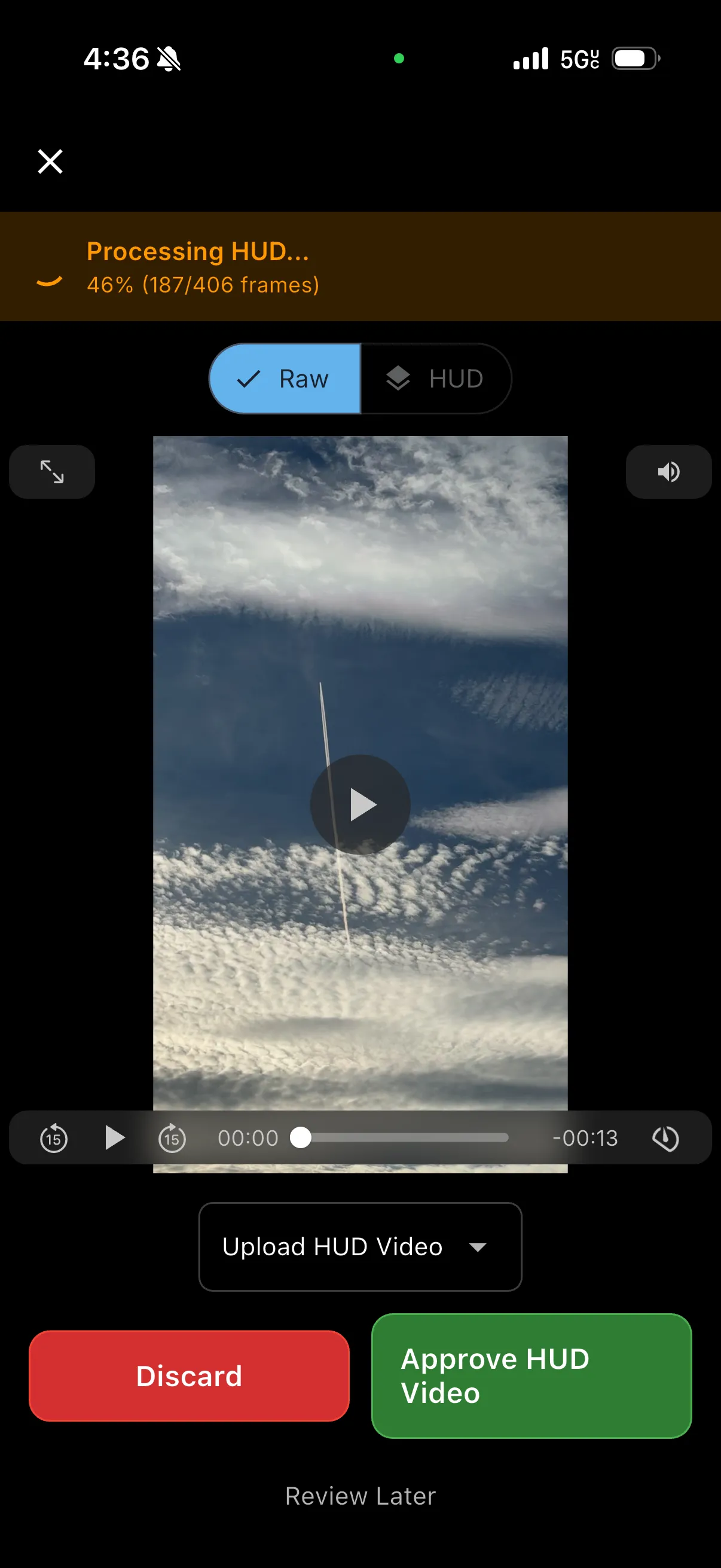
Capture the moment, HUD and all
Record video with the HUD baked into the frame and share it with other users - a record of what the instruments saw while you were looking up.
Privacy baked in
The live HUD shows your own position so you can orient yourself. The HUD baked into a recording does not - it renders over a privacy backdrop that reveals nothing about where you were, while keeping the other telemetry visible.
Look closer
The HUD is only as good as the data behind it - every new feeder extends coverage for everyone looking up.
Help improve the data
Have a spare Raspberry Pi and an RTL-SDR dongle? Setting up an ADS-B feeder takes minutes, and it directly improves HUD coverage for you and everyone else in the network.
Get AlignedContact
Download the app and start recording with the camera HUD - then share what the instruments saw while you were looking up.
